The #1 question that we get from Ms Teams telephony users
When developing the integration between Teams and QueueMetrics-Live, I was expecting that our experience in working with contact centers would create a good product to serve relatively simple contact centers, only using what Teams was offering “in the box”. So definitely no fancy real-time, no feature code analysis…. but what would people actually need?
One thing I did not really expect was the only requirement that always pops up, I’d say each and every single time I speak to a prospect. I have a tendency to think about things that are very esoteric or very complex to compute but in this case, I admit, I’m flabbergasted.
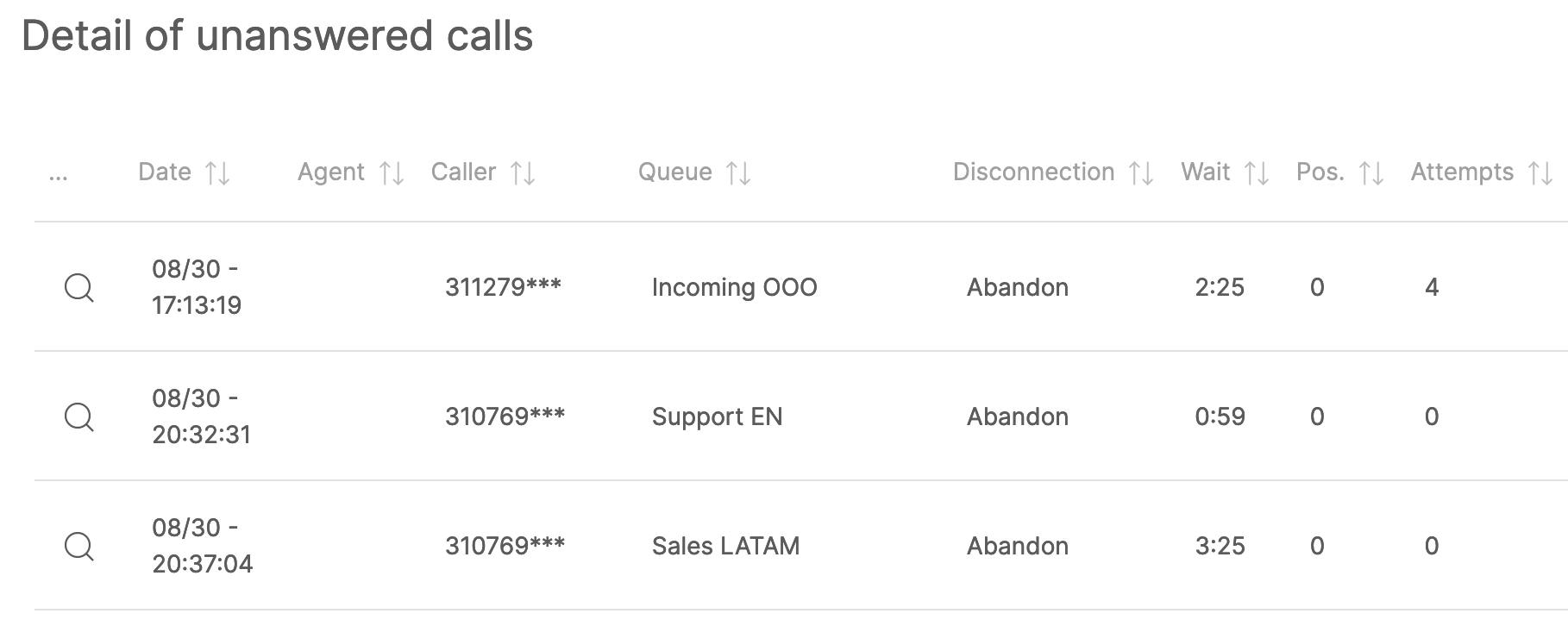
The #1 question I get is how to see lost calls on Teams queues, and whether that’s possible at all. My answer, of course is, yes, this is a very very basic measurement, and still this is very hard to obtain within the Teams environment. This is because someone decided that if a call does not reach a person, in a sense, it does not exist. I guess that this is technically correct (“what is the sound of a call where nobody speaks?” - someone must be reading Zen koans over there in Redmond), but still way off what people are actually expecting.
Keeping track of people who tried contacting you and you were not able to pick up is a very important metric for each contact center, be it a 2-person operation or 200 professional agents. By leveraging this information, we can offer insights about when you’re not staffed enough and you need to get more people on the queues, and to create a dynamic wall board showing numbers that tried contacting you, were not answered and not recalled and could not contact us successfully after that. So this is a gold mine to do the right thing - call people back!
Another metric that often comes up, and very often forgotten or unknown, is to keep track of calls from a queue that went to an agent who did not pick up. If you want to understand why you’re not answering enough calls, or you’re answering them way too slowly, so called “lost attempts” are your go-to metric. There are a number of good and not-so-good reasons why agents are not picking up their phones, but somebody who is not answering should not be allowed on the queue.
Both pieces of information are not easily obtainable from PowerBI, and do make a difference if you’re paying people to pick up calls from a queue.
When developing with the telephony side of Teams, one gets the feeling that telephony was somehow bolted on an existing product - philosophically, it’s quite different from the core of Teams. Still, if you have been reading this so far, it’s likely that you understand how convenient and ubiquitous it can be.
Update Jul 16
We made a video that shows how easy it is to get started with TeamsMetrics by searching for lost calls.
About QueueMetrics for Teams
QueueMetrics for Teams is a call analytics and reporting platform by Loway that connects to your Microsoft Teams telephony environment via the Graph API. It gives you full historical visibility into all incoming and outgoing calls — including lost calls — across people, auto-attendants, queues, conferences, and voicemails. With over 200 available metrics, it lets you track SLA compliance, agent productivity, call volumes, wait times, and caller patterns in detail. It works with any Teams telephony setup — Microsoft Calling Plans, Direct Routing, or Operator Connect — with nothing to install and no changes to your existing configuration.
QueueMetrics for Teams is available on the Microsoft Marketplace. A free trial is available — no credit card required.
keyboard_arrow_left Back