Tutorial: Outbound calls from the agent page

In this tutorial we will guide you through the new Outbound Call Tracking feature of QueueMetrics. This feature allows the tracking of outbound calls without resorting to DialPlan additions using the QueueMetrics’ Real-Time page, the Agent page or the customizable Reports.
Wombats for Erwin is a political organization that rallies support for the upcoming election, with the mission of raising funds for Erwin the Wombat. Every member puts in a voluntary number of hours phone banking in order to raise money and awareness in the various districts. In order to track the progress of every campaign, a simple system is needed to allow the various agents to select a campaign and start calling the numbers on their list.
In this tutorial we will take a look at the new Outbound Call Tracking feature of UniLoader. This feature allows QueueMetrics to track outbound calls without resorting to DialPlan additions. It’s very simple to setup and it allow the user to monitor outbound calls through the Real-Time page, the Agent page or through Reports.
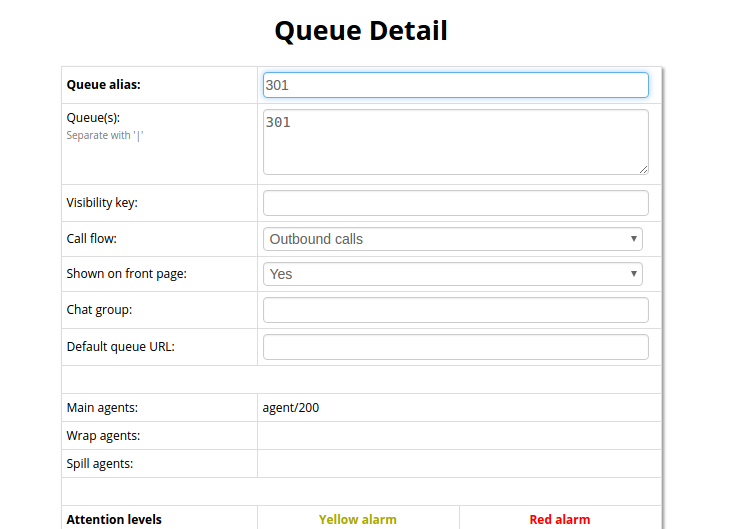
First we need to setup an outbound queue in QueueMetrics. We will call the outbound queue 301.
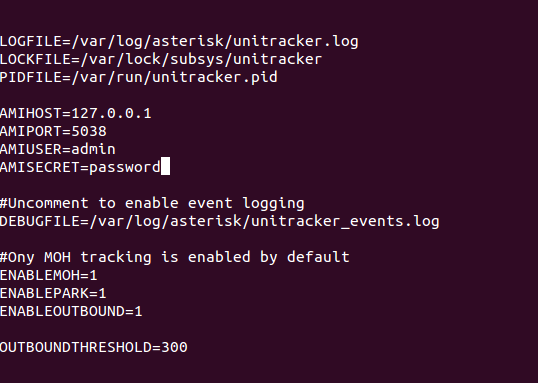
Then we need to make sure that the Outbound Tracking Feature is enabled in the UniLoader settings. You can usually find UniLoader settings at: /etc/sysconfig/unitracker .
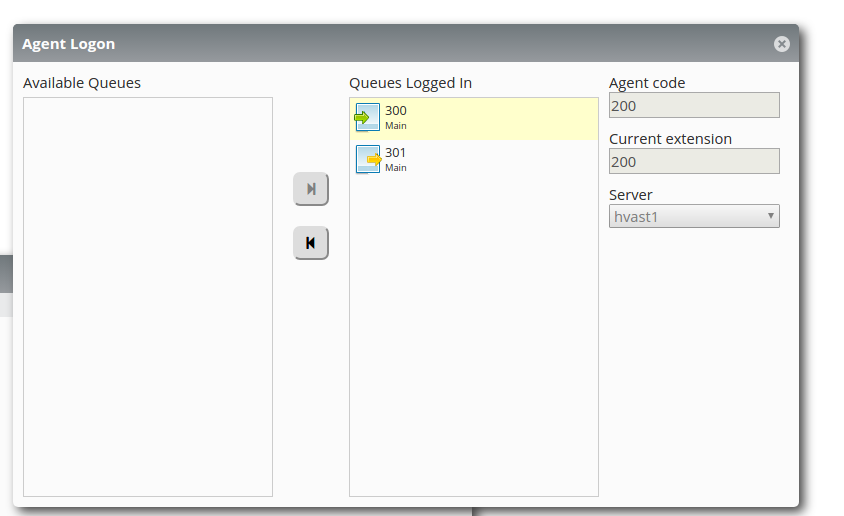
When everything is set-up we can go to the QueueMetrics’ agent page. In this example we log in with the user Agent/200. The first thing we need to do is to log in the outbound queue we created.
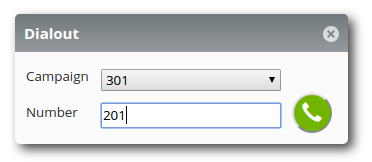
Now we can open the outbound call panel and place a call to extension 201.
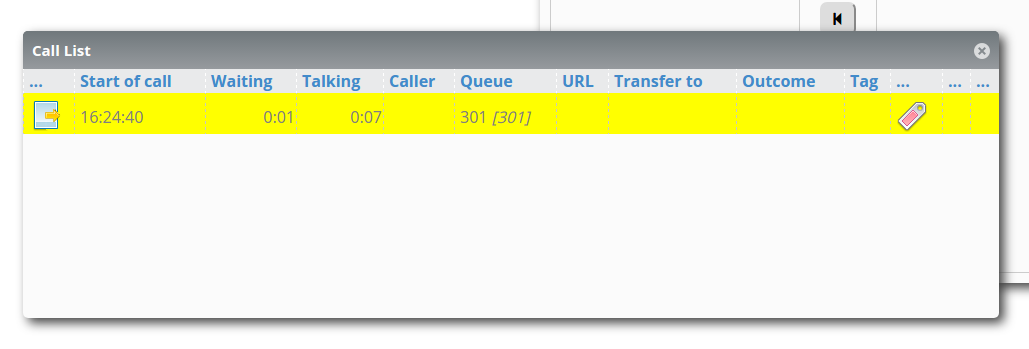
As we can see the call appears in the call list panel, in the correct queue.
If we log in QueueMetrics as administrator we can see the call in the Real-Time Page.

About QueueMetrics
QueueMetrics is a highly scalable monitoring software that lets you track agent productivity, payrolls, measure targets, conversion rates, queues/ACDs, IVRs, music-on-hold, generate outbound campaign statistics and monitor realtime processes with customizable wallboards.
You can measure all activities in your contact center with more than 200 different metrics and manage realtime processes with live alarms and full control on calls and extensions, including whisper, spy and barge modes.
QueueMetrics is available on premise or as a cloud hosted service, and it is compatible with FreePBX, Grandstream, Issabel, MiRTA, Enswitch, Yeastar S PBX, VitalPBX, FusionPBX and many other Asterisk- and Freeswitch-based systems. It also supports Microsoft Teams telephony.
For more technical information please refer to the User Manual.
Visit www.queuemetrics.com for a free 15-day full-featured trial.
keyboard_arrow_left Back