Turn QueueMetrics PDF Documentation into an LLM Knowledge Base
QueueMetrics has extensive documentation covering installation, configuration, reporting, agents, queues, troubleshooting, APIs, Uniloader, and more.
That’s useful when you know what you’re looking for. But sometimes you simply have a question and don’t know which section of which manual contains the answer.
One option is to give the QueueMetrics documentation to an LLM such as Claude or ChatGPT and use it as reference material for your questions.
In this article, we’ll see where to download the QueueMetrics manuals in PDF format and how to run a simple test.
Where to download the QueueMetrics PDF documentation
The official QueueMetrics manuals are available here:
QueueMetrics documentation repository
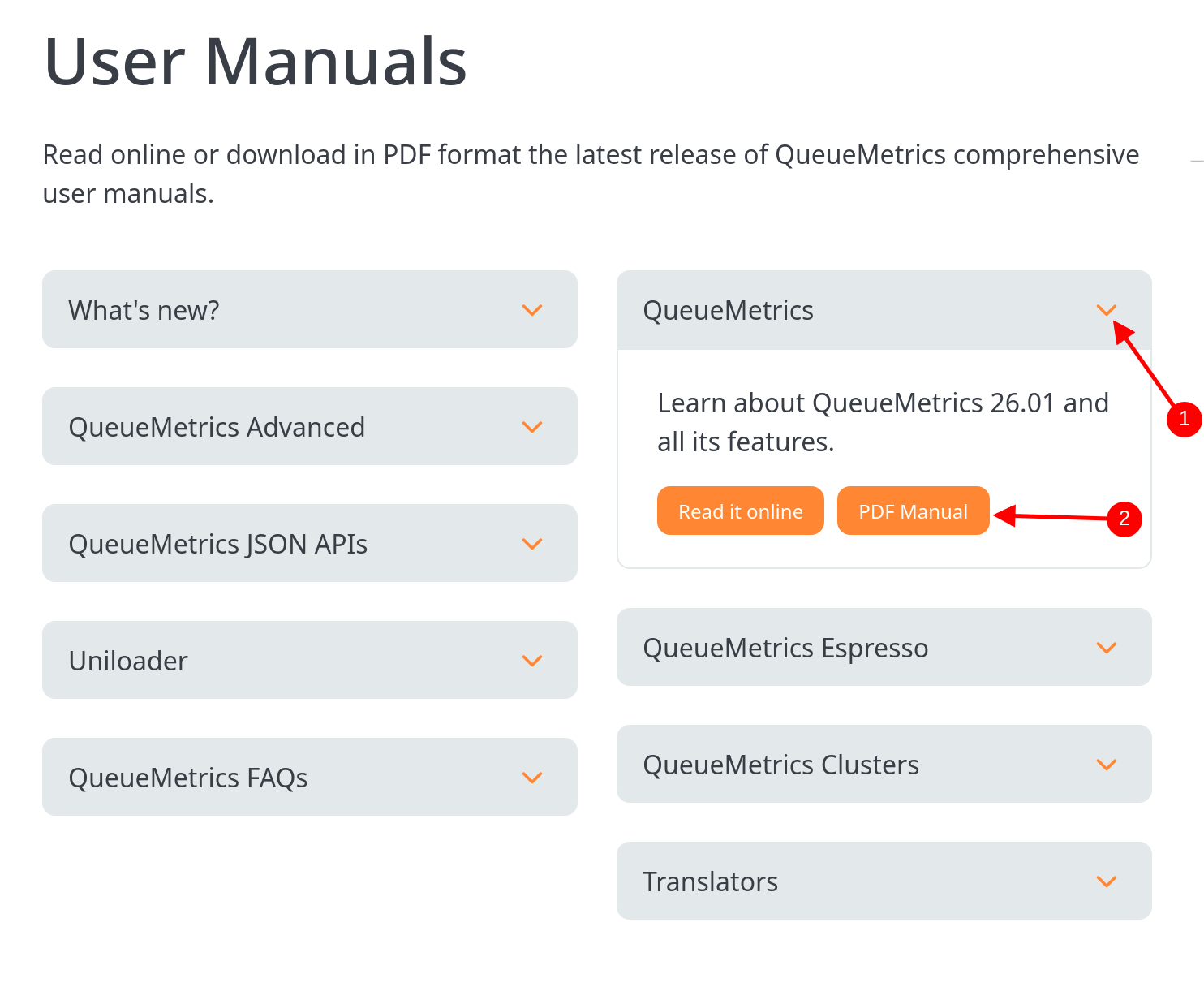
You can download the PDF manuals you need and keep a local copy.
Depending on the questions you want the LLM to answer, different manuals may be useful.
The QueueMetrics User Manual is the first place to start. It covers normal QueueMetrics operation as well as installation, configuration, reporting, supervision, the Agent Page, Quality Assessment, upgrades, and troubleshooting.
For more specialized configurations, there is the QueueMetrics Advanced Configuration Manual. It includes topics such as NGINX configuration, Apache configuration, SSL, Tomcat, and other advanced scenarios.
If your questions concern integrations, you can also include the QueueMetrics JSON API Manual. It documents the JSON Configuration API and Reports API, as well as authentication, QA, tasks, PBX interactions, system administration, call queries, and other API functions.
There is also a dedicated Uniloader User Manual, covering installation, data uploading, backend, different deployment scenarios, event tracking, diagnostics, and FreeSWITCH/FusionPBX support.
You don’t have to choose only one. You can provide several PDFs and let the LLM use the relevant documentation for each question.
Why use the PDF manuals?
The useful part of PDF documentation is that you have a specific source to give the LLM.
Instead of asking a generic question such as:
“How do I configure QueueMetrics?”
You can provide the official QueueMetrics manuals and ask the model to answer using those documents.
A good instruction to include with your question is:
“Answer using the provided QueueMetrics documentation. If you cannot find the answer in the documentation, say so instead of guessing. When possible, tell me which manual and section you used.”
This doesn’t guarantee that every answer will be correct, so you should still check important configuration changes against the original documentation. But it gives the model a much better source to work from.
Trying the QueueMetrics manuals with Claude
You don’t need to build a dedicated support system to test the idea.
Start by downloading the PDFs from the QueueMetrics manual page. In Claude, create a new project by selecting New Project → Create project.
Once the project is created, add the QueueMetrics PDF manuals to the project’s documentation.
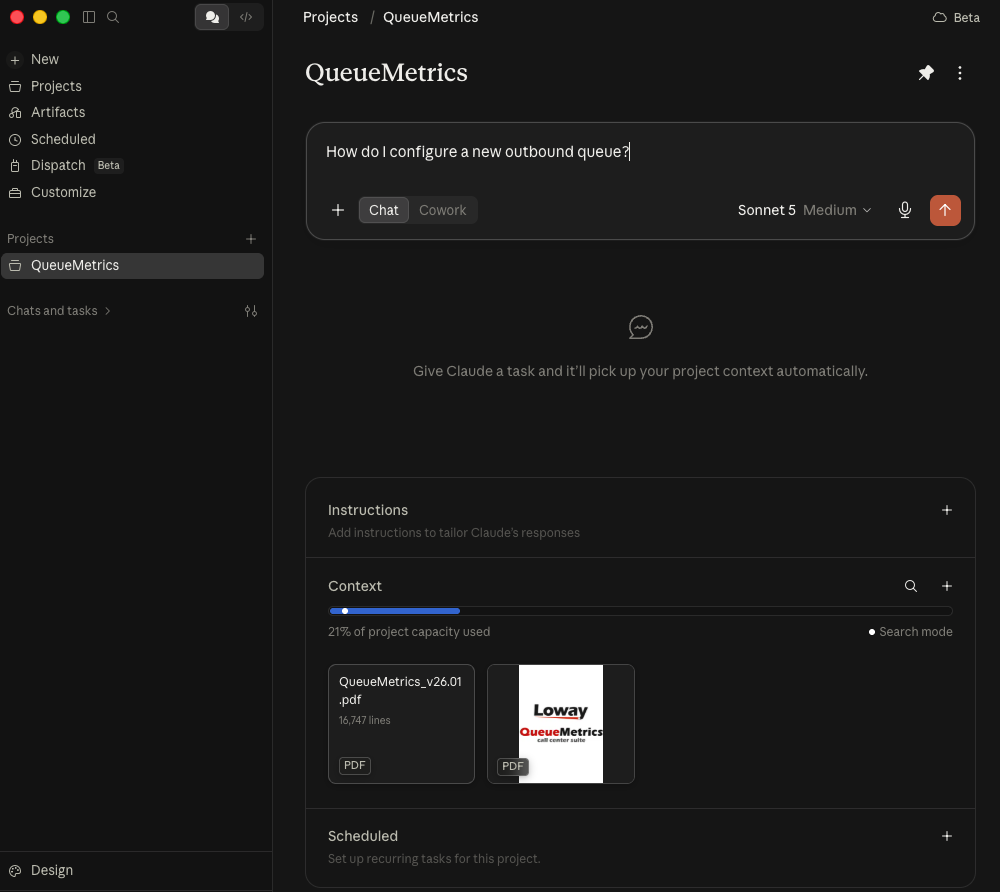
You can then ask a real QueueMetrics question. For example:
“How do I create a new outbound queue?”
You can also ask more specific questions about reporting, configuration, agents, queues, or troubleshooting.
Trying the QueueMetrics manuals with ChatGPT
You can use the same approach with ChatGPT.
Add the QueueMetrics PDF manuals you want to consult and use them as reference material for your questions.
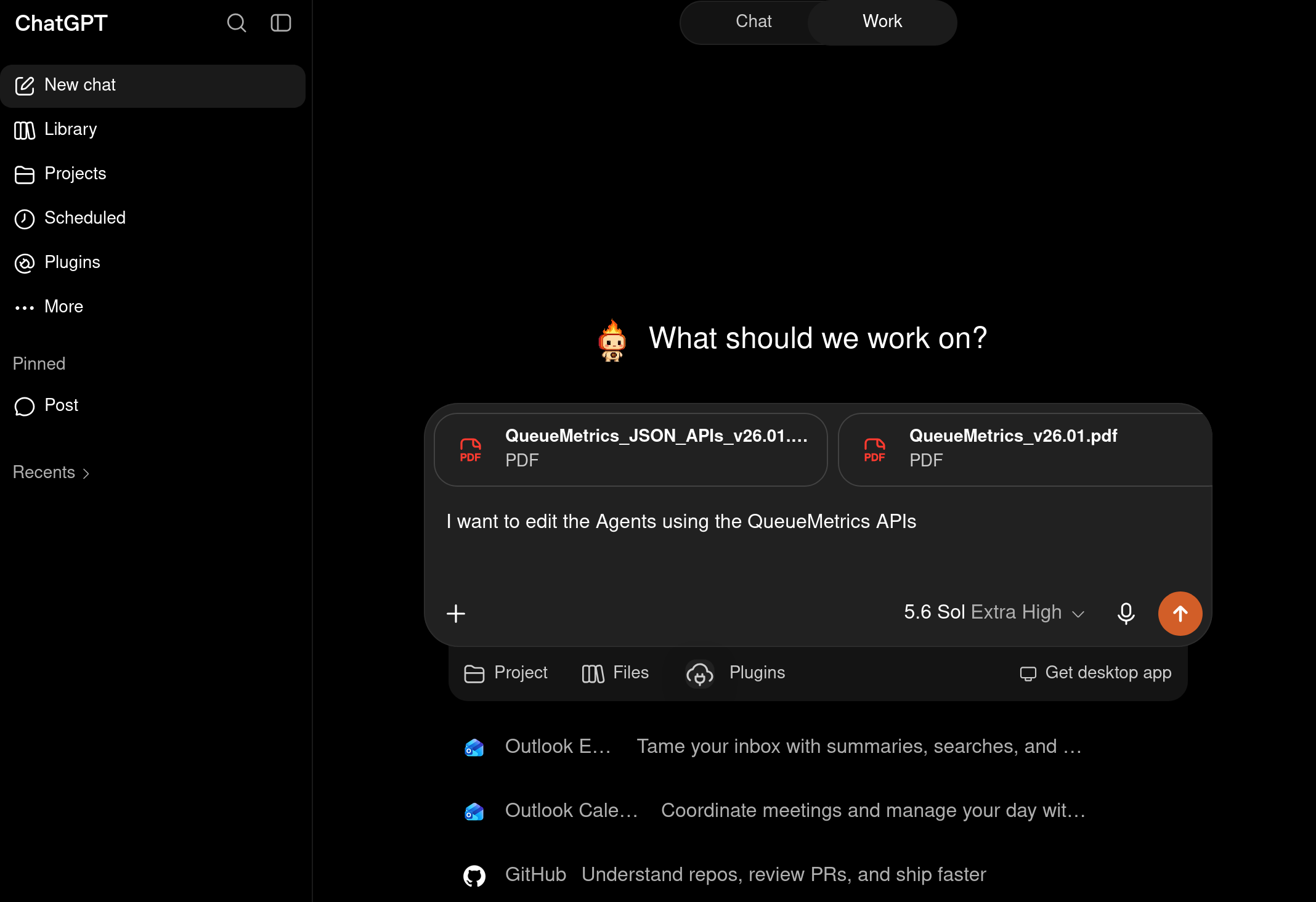
For example, you could ask:
“I want to edit the Agents using the QueueMetrics APis”
This type of question may require information from more than one document. The QueueMetrics User Manual contains troubleshooting material, while the APIs manual contains specific sections on API usage.
Again, ask the model to stay within the provided documentation and identify the relevant source when possible.
Keep the documentation current
There is one practical issue to remember. QueueMetrics changes, and so does its documentation.
The manuals used for this article, for example, are QueueMetrics version 26.01, dated January 15, 2026. The JSON API, Advanced Configuration, User, and Uniloader manuals supplied with that release all identify themselves as version 26.01. If you build an LLM support assistant around these files, updating the knowledge base should therefore be part of the normal QueueMetrics upgrade process.
When new manuals are released, download the current PDFs and replace or reindex the older documentation.
It also makes sense to keep the QueueMetrics version associated with each document. Otherwise, an assistant could retrieve instructions written for a different release from the one the customer is running.
Know when to ask Loway support
An LLM can make several hundred pages of documentation easier to search, but it doesn’t replace technical support.
Some questions depend on the customer’s actual installation, PBX configuration, logs, database, or other details that aren’t available in the manuals provided to the LLM.
Customers can always contact us directly via e-mail, phone or Whatsapp: Contact Us
All support is handled during our support window:
Monday to Friday, 9:00 to 17:00 Swiss time.
About QueueMetrics
QueueMetrics is a highly scalable monitoring software that lets you track agent productivity, payrolls, measure targets, conversion rates, queues/ACDs, IVRs, music-on-hold, generate outbound campaign statistics and monitor realtime processes with customizable wallboards.
You can measure all activities in your contact center with more than 200 different metrics and manage realtime processes with live alarms and full control on calls and extensions, including whisper, spy and barge modes.
QueueMetrics is available on premise or as a cloud hosted service, and it is compatible with FreePBX, Grandstream, Issabel, MiRTA, Enswitch, Yeastar S PBX, VitalPBX, FusionPBX and many other Asterisk- and Freeswitch-based systems. It also supports Microsoft Teams telephony.
For more technical information please refer to the User Manual.
Visit www.queuemetrics.com for a free 15-day full-featured trial.
keyboard_arrow_left Back