Configuring Users and the Difference Between Users and Agents
What is the difference between Users and Agents? How can I create a new User?
Create a New User
Understanding how to create a new user, and the differences between user roles and agent, is crucial for effectively utilizing QueueMetrics.
Steps to Create a New User
From the Homepage go to Settings, Users and on the System Users page, click the ‘Create New’ button.
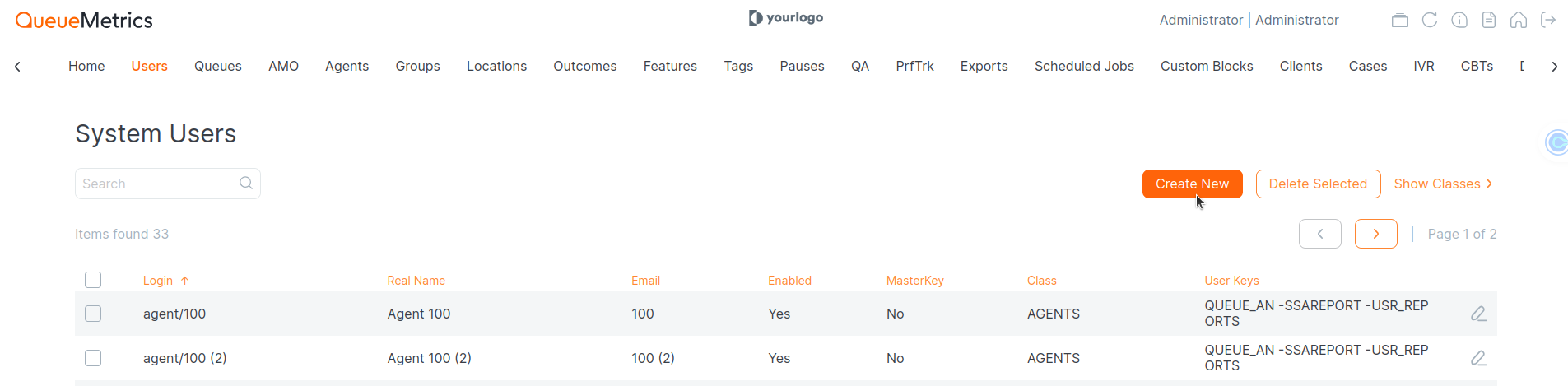
Next, fill out the User’s information with the following fields:
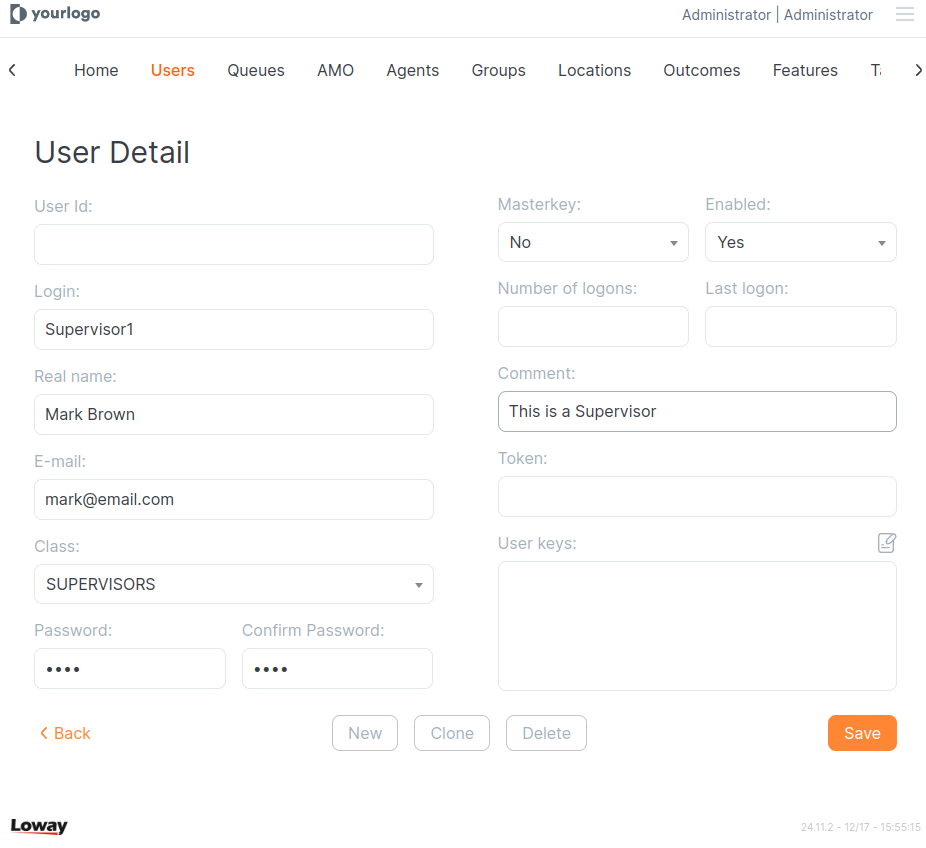
- Login: Unique identifier for the user.
- Real Name: The full name of the user.
- E-mail: This can also be used as the login credential.
- Class: Defines the type of user and associated permissions.
- Password: Secure password for the user account.
- Masterkey: Grants permissions for accessing restricted areas.(Do not use it unless you know what you're doing)
- User Key: Defines what actions the user can perform.
Default Users and Class Permissions
| User | Description | Mandatory |
|---|---|---|
| Admin | Full access to the system, including configuration and user management. | Yes |
| User | Regular user with limited access. | Optional |
| Visitor | User access with minimal permissions. | Optional |
| Supervisor | Elevated permissions for overseeing agents/users. | Optional |
| Robot | Automated user for data retrieval and integration. | Optional |
| Webqloader | Used for communication between PBX and QueueMetrics. | Yes |
Detailed Descriptions:
| Role | Description |
|---|---|
| Admin | The Admin account has unrestricted access to all system features, including user management, configuration settings, and reporting tools. It is typically assigned to system administrators. |
| User | The User account is intended for users with limited access. When creating this account, administrators can assign specific keys to determine what actions and reports the user can access. Examples include: viewing specific queues, accessing daily reports, and managing personal performance metrics. |
| Visitor | The Visitor account is designed for temporary or read-only access. This role is useful for demonstration purposes or for users who only need to view basic data without making changes. |
| Supervisor | The Supervisor account is intended for users who oversee others. Supervisors can monitor performance across multiple queues, access detailed reports for their teams, and manage agent activity. |
| Robot | The Robot profile automates access to QueueMetrics statistics and data. This role is commonly used for generating automated reports and integrating QueueMetrics with external systems. To configure a Robot account, ensure it has the ROBOT key, which allows remote access. A sample user (‘robot’) with the password ‘robot’ is included in the default database. |
| Webqloader | The Webqloader account facilitates communication between the PBX and QueueMetrics. It is primarily used by the Uniloader to synchronize data in real-time. |
| Masterkey | The Masterkey is a powerful tool that grants users additional permissions to access restricted reports, queues, or system settings. Administrators should assign this key carefully to prevent configuration issues. |
User vs. Agent in QueueMetrics
While the terms User and Agent might seem similar, they have distinct roles and purposes within QueueMetrics. Here’s a breakdown to help clarify the difference:
User
A User in QueueMetrics is a general role that defines a person who interacts with the system, typically with limited access. The User role can represent various types of individuals, including agents, supervisors, or even external users who need to access specific reports or system features.
Key Characteristics of a User:
- Access Control: A User can have customized permissions set by the admin, defining what they can and cannot access.
- Visibility Key: A User can be limited by Visibility Keys, determining which reports and queues they can view.
- Purpose: A User could be an agent, but it could also be someone who needs access to the system in a read-only or administrative capacity, depending on their assigned permissions.
Agent
An Agent is an entity that is used to manage PBX extensions in QueueMetrics. They can be also users who actively participate in call center operations, either as a frontline employee or in a support role. Agents are generally the individuals handling the tasks within queues, answering calls, and dealing with customer interactions. The agent code usually matches with the extension.
Key Characteristics of an Agent:
- Active Participation: Agents are the ones who are assigned to queues and actively answer or manage calls.
- Workforce Metrics: Agents are typically monitored for performance, and their data is tracked for reports on productivity, such as number of calls answered, average call handling time, and so on.
- Limited Access: Unlike other Users who might have broader permissions, Agents are usually restricted to accessing only their own performance data and specific queues they are assigned to.
User configuration
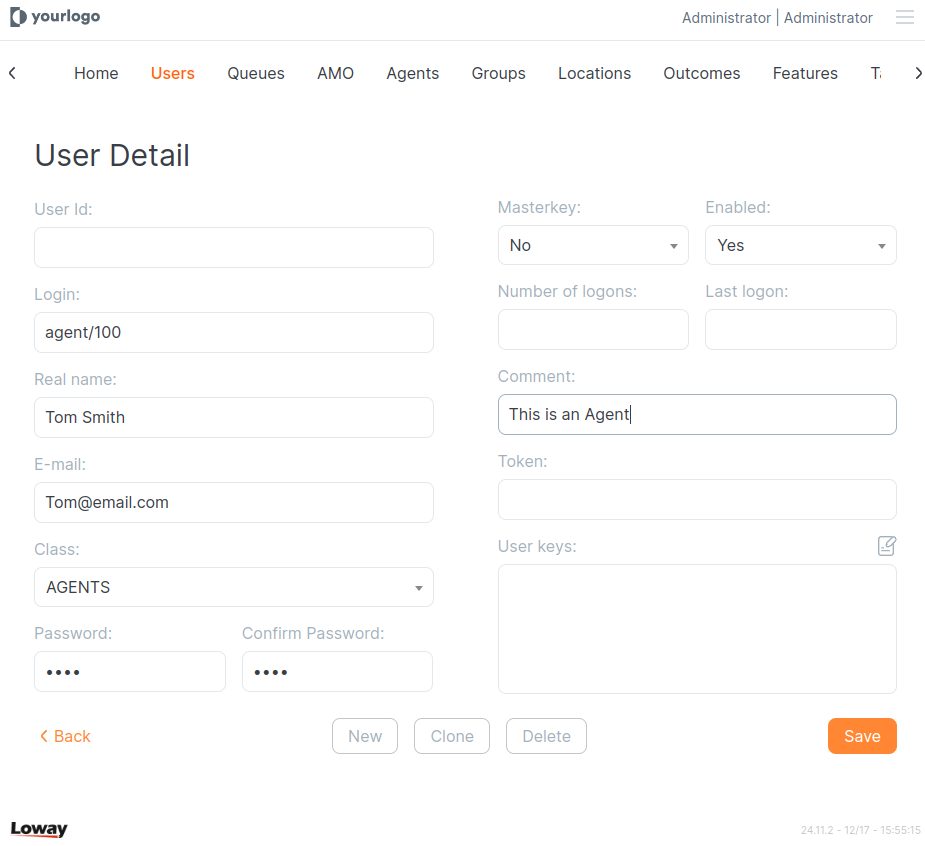
Agent configuration
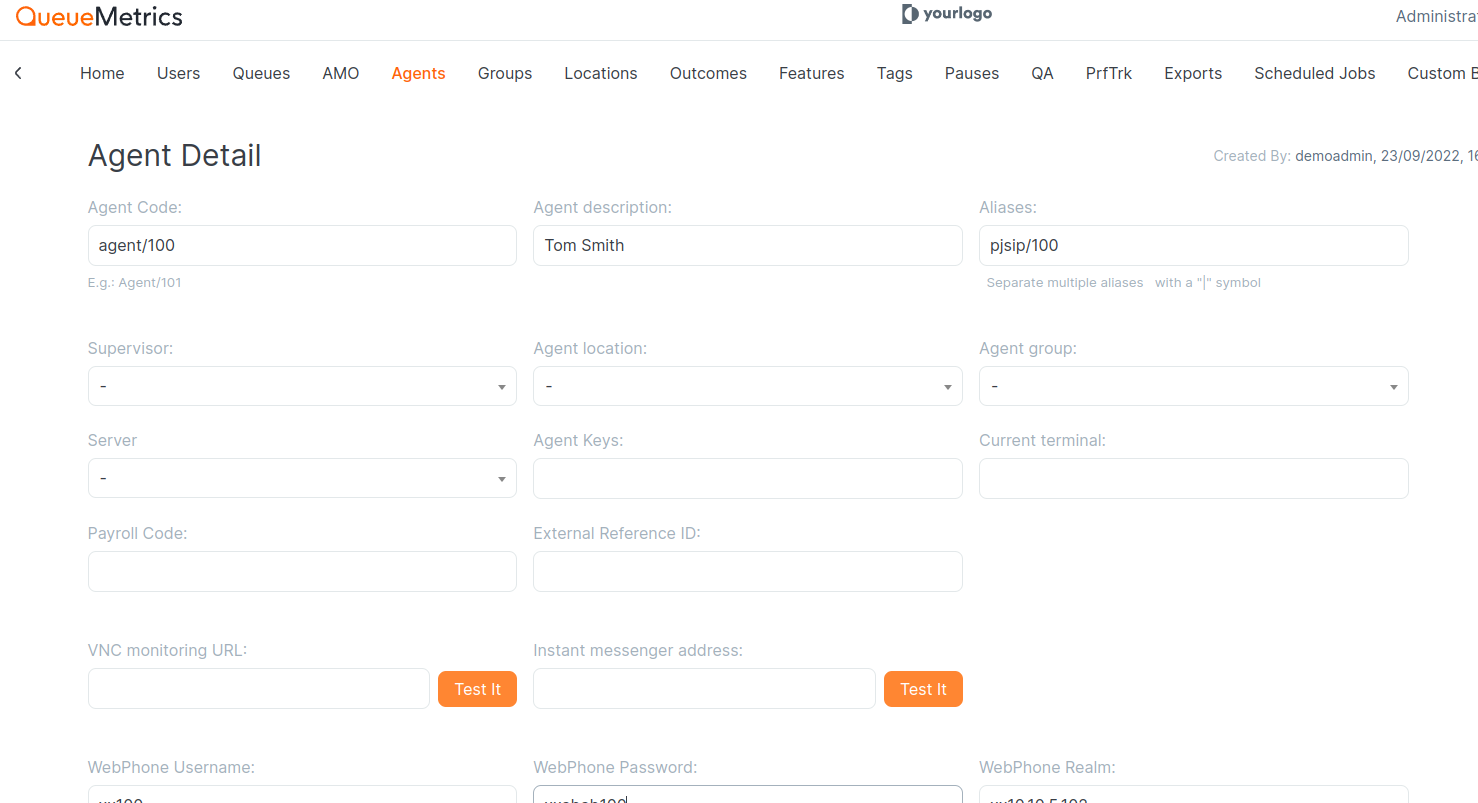
How Users and Agents Interact in QueueMetrics
The User role is more flexible and can represent different types of individuals in the system, from agents to supervisors, and even external users who may not be actively working in the queues.
Agents can be a specific subset of Users who are focused on handling customer interactions, tracking their performance, and participating in the call center’s daily operations. Users, on the other hand, could include people who manage the system, access reports, or oversee agent performance.
By distinguishing between Users and Agents, you can better tailor permissions and roles to ensure each individual has the appropriate access level and functionality within QueueMetrics.
About QueueMetrics
QueueMetrics is a highly scalable monitoring software that lets you track agent productivity, payrolls, measure targets, conversion rates, queues/ACDs, IVRs, music-on-hold, generate outbound campaign statistics and monitor realtime processes with customizable wallboards.
You can measure all activities in your contact center with more than 200 different metrics and manage realtime processes with live alarms and full control on calls and extensions, including whisper, spy and barge modes.
QueueMetrics is available on premise or as a cloud hosted service, and it is compatible with FreePBX, Grandstream, Issabel, MiRTA, Enswitch, Yeastar S PBX, VitalPBX, FusionPBX and many other Asterisk- and Freeswitch-based systems. It also supports Microsoft Teams telephony.
For more technical information please refer to the User Manual.
Visit www.queuemetrics.com for a free 15-day full-featured trial.
keyboard_arrow_left Back