QueueMetrics Configuration and Usage APIs

QueueMetrics Configuration and Usage APIs
QueueMetrics is a powerful call center monitoring and reporting software that provides detailed analytics for call centers. One of its key features is the JSON API, which allows developers to integrate QueueMetrics with other systems or build custom applications. This guide provides a comprehensive overview of how to work with the JSON API for QueueMetrics.
An API (Application Programming Interface) lets one software program request data or services from another software program. For example, when you use an app like a weather app, the app uses an API to ask a weather service for the current weather data, then displays it for you.
JSON (JavaScript Object Notation) is a way to format data so that it’s easy for both humans and computers to read. It’s like sending a neatly written message that both you and the computer can understand. JSON is used to send data back and forth between systems in a clear and simple way.
Which functions does the QueueMetrics API perform?
QueueMetrics uses the JSON API request in order to:
-
Read and update the system configuration - Configuration API e.g., exporting, creating, and updating agents, queues, DNIS, etc.
-
Export the results of most analyses in a format that is immediately usable by other software. Reports API.
-
Perform actions programmatically, like, for example, creating queues and agents. RealTime API.
Working with the API request
The easiest way to interact with the JSON interface is to do it from the command line using ‘curl’ or with dialplan. All QueueMetrics JSON calls require a valid login and password, that must be passed as an HTTP basic auth.
Sending Requests
Use tools like curl, or libraries in your programming language to send HTTP requests.
Example and explanation using curl:
curl -X POST \
     -H "Content-Type: application/json" \
     -u "username:password" \
     -d '{"agent": "Agent/1001", "queues": ["4001"]}' \
     https://your-queuemetrics-instance-url/jsonEditorApi.do/
-
username and password will use the “robot” user credentials
-
for agent use the agent code: Ex. “Agent/101”
Handling Responses
Responses are typically in JSON format.
Check the status field for success or error indicators
Example error response:
{
  "status": "ERR",
  "message": "Invalid authentication credentials."
}
Some Example of API request
Get List of Agents
curl --user robot:robot -i -H "Content-Type: application/json" \
     -X GET http://YourQueuemetrics/queuemetrics/agent/jsonEditorApi.do
Result of API:
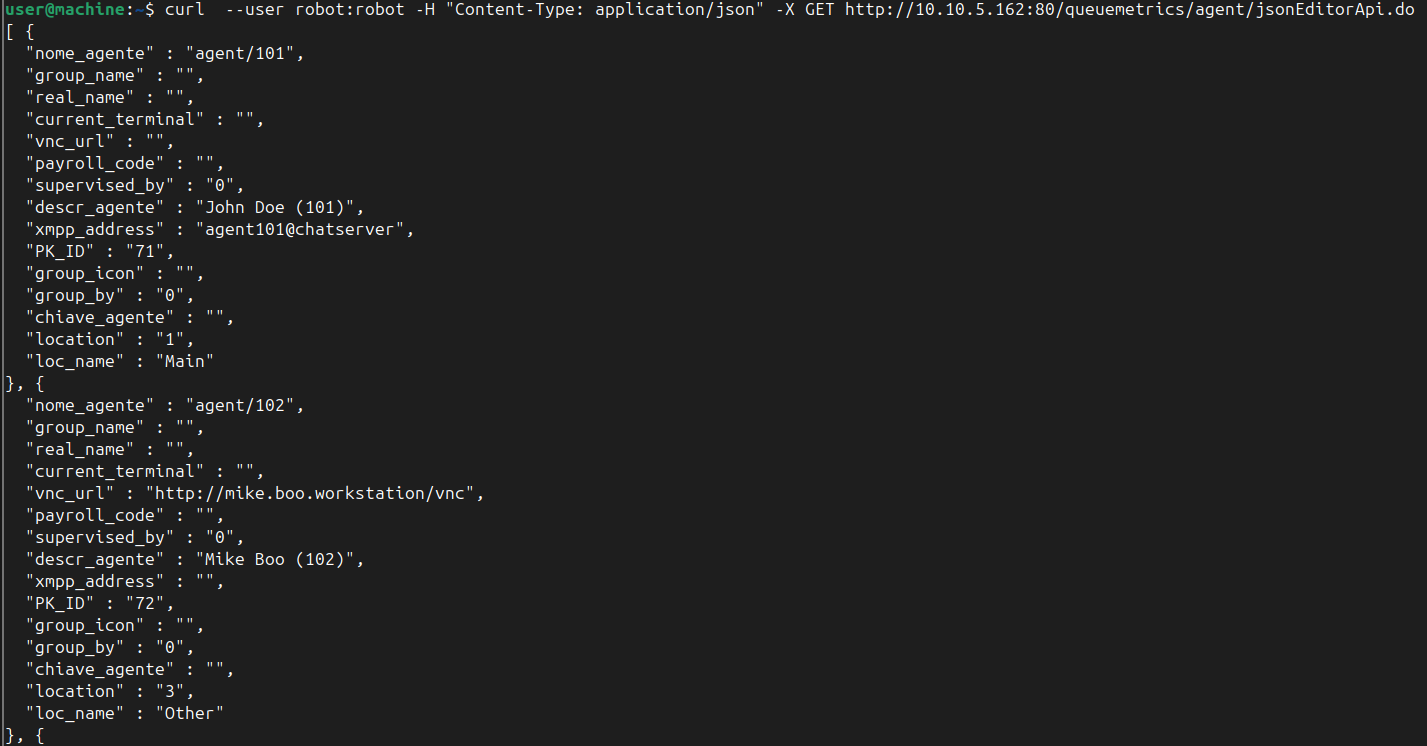
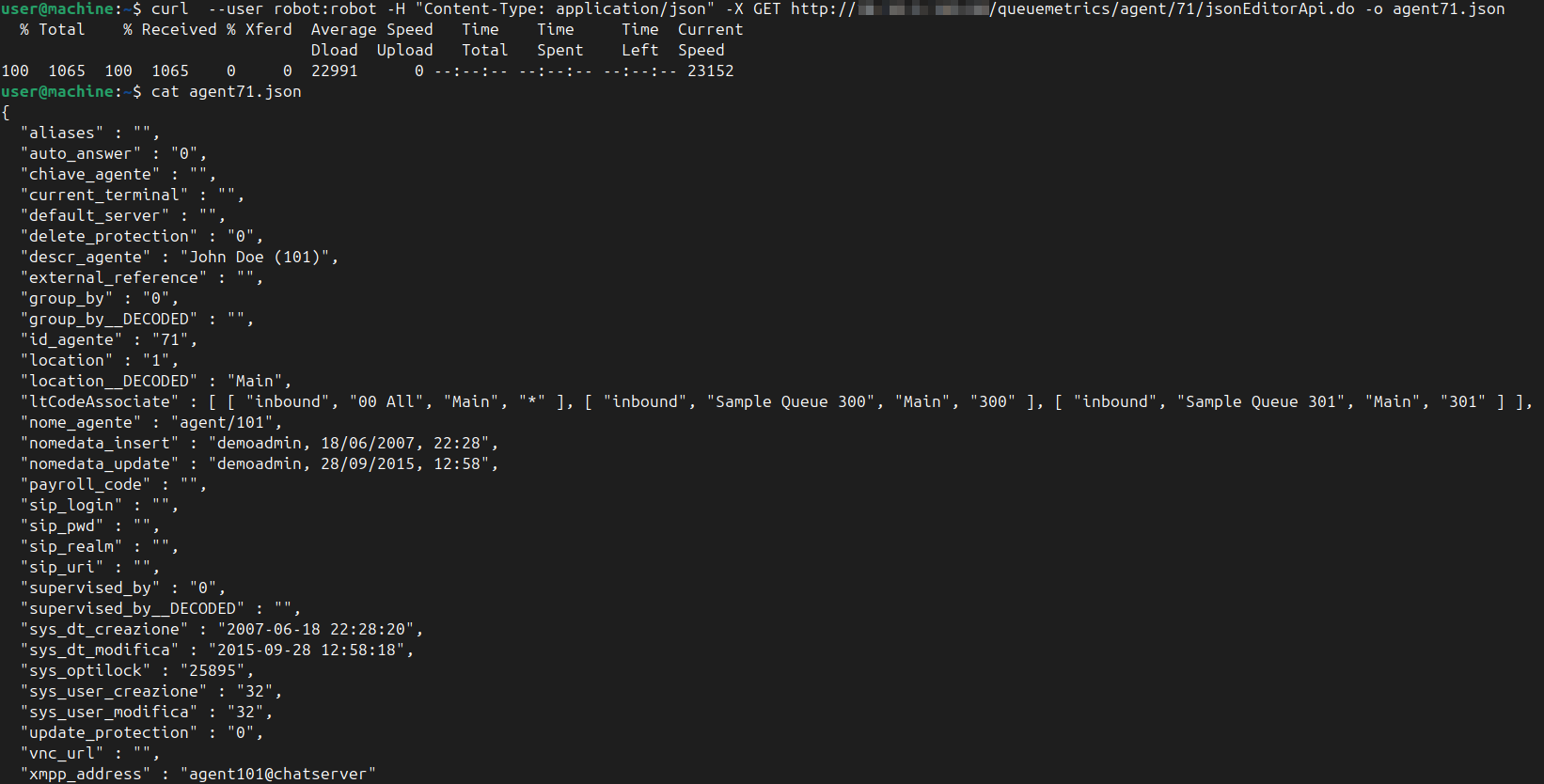
Create a Json file for a specific Agent
curl --user robot:robot -i \
     -H "Content-Type: application/json" \
     -X GET http://YourQueuemetrics/queuemetrics/agent/71/jsonEditorApi.do \
     -o agent.json
Result of API request:
Create a new agent using a json file
After editing the JSON file with the new agent parameters and creating the new_agent.json file:
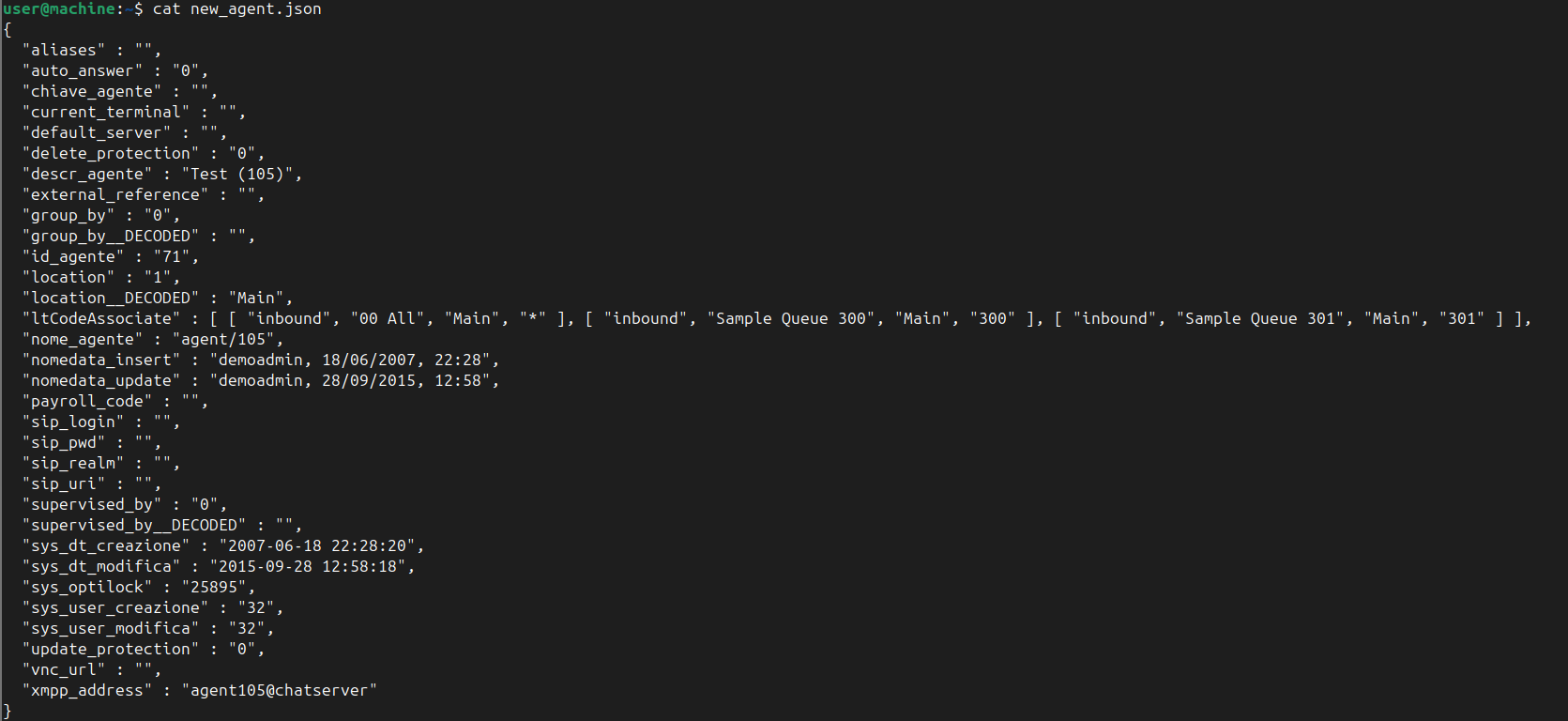
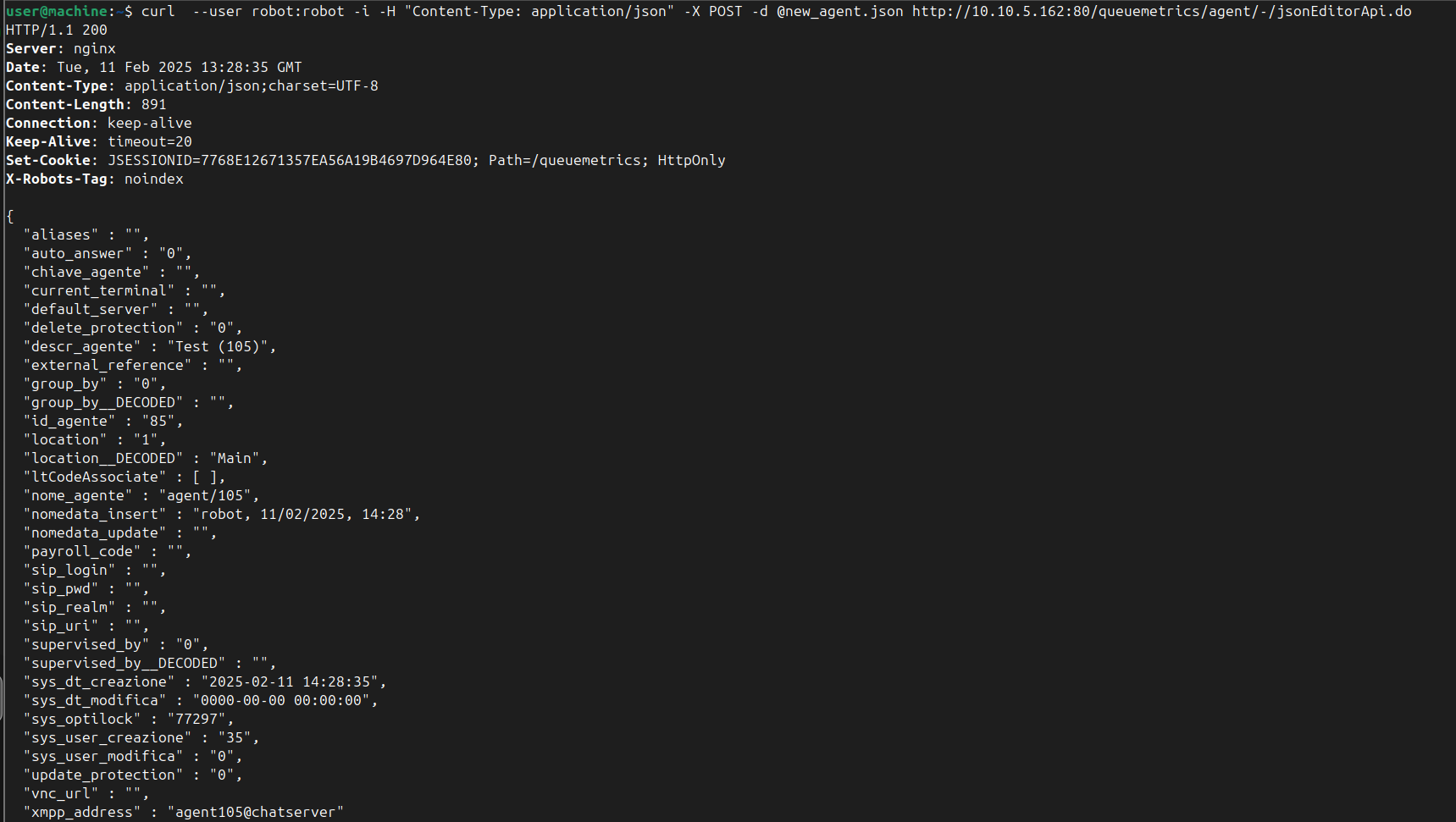
Using this API request will create the new agent:
curl --user robot:robot -i -H "Content-Type: application/json" \
     -X POST -d @new_agent.json \
     http://YourQueuemetrics/queuemetrics/agent/-/jsonEditorApi.do
Result of API request:
In our documentation you can find the other items that you can edit.
Retrieve data from datablock
curl --user robot:robot -i \
     -H "Content-Type: application/json" \
     -X GET \
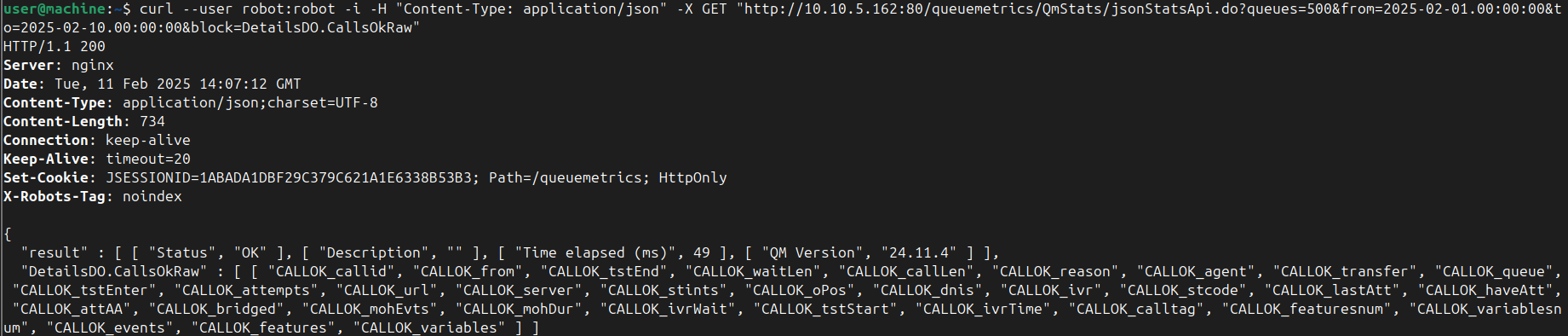
     "http://YourQueuemetrics/queuemetrics/QmStats/jsonStatsApi.do?queues=500&from=2000-01-01.00:00:00&to=2022-01-01.00:00:00&block=DetailsDO.CallsOkRaw"
Result of API request:
Retrieve Realtime Live data
curl --user robot:robot -i \
     -H "Content-Type: application/json" \
     -X GET \
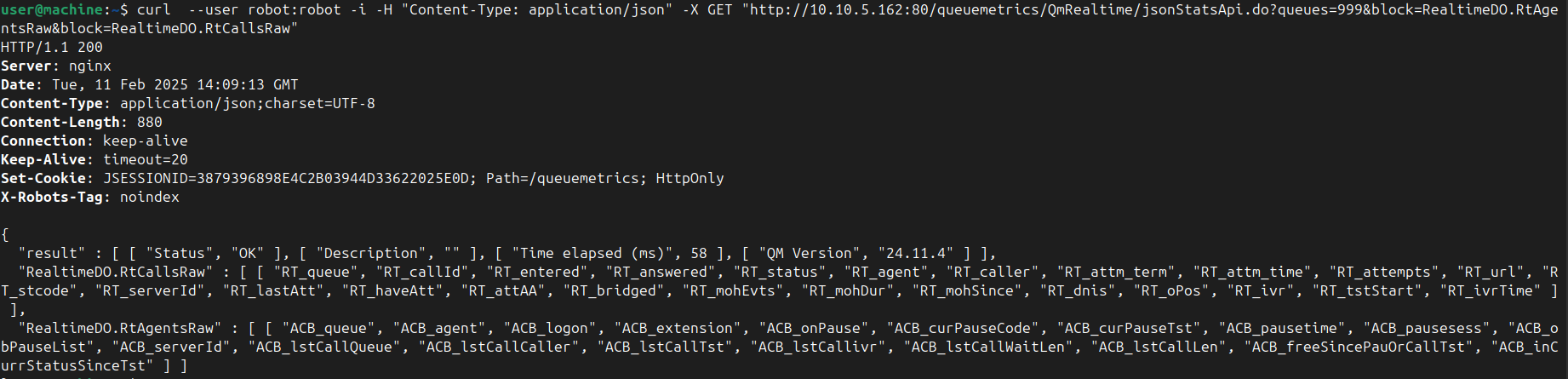
     "http://YourQueuemetrics/queuemetrics/QmRealtime/jsonStatsApi.do?queues=999&block=RealtimeDO.RtAgentsRaw&block=RealtimeDO.RtCallsRaw"
Result of API request:
Troubleshooting
Below are some common issues you might encounter.
Authentication Failures
Issue: Incorrect credentials
Example response:

Solution
Check the –user parameter to ensure that it is enabled and the credentials are correct.
Missing Robot Key
Issue: The user does not have a robot key.
Example response:

Solution
Assign a robot key to the user.
More info about User keys here.
Incorrect Address or Port
Issue: The provided address or port is incorrect.
Example response:

Solution
Verify the address and/or port configuration.
Invalid Parameters
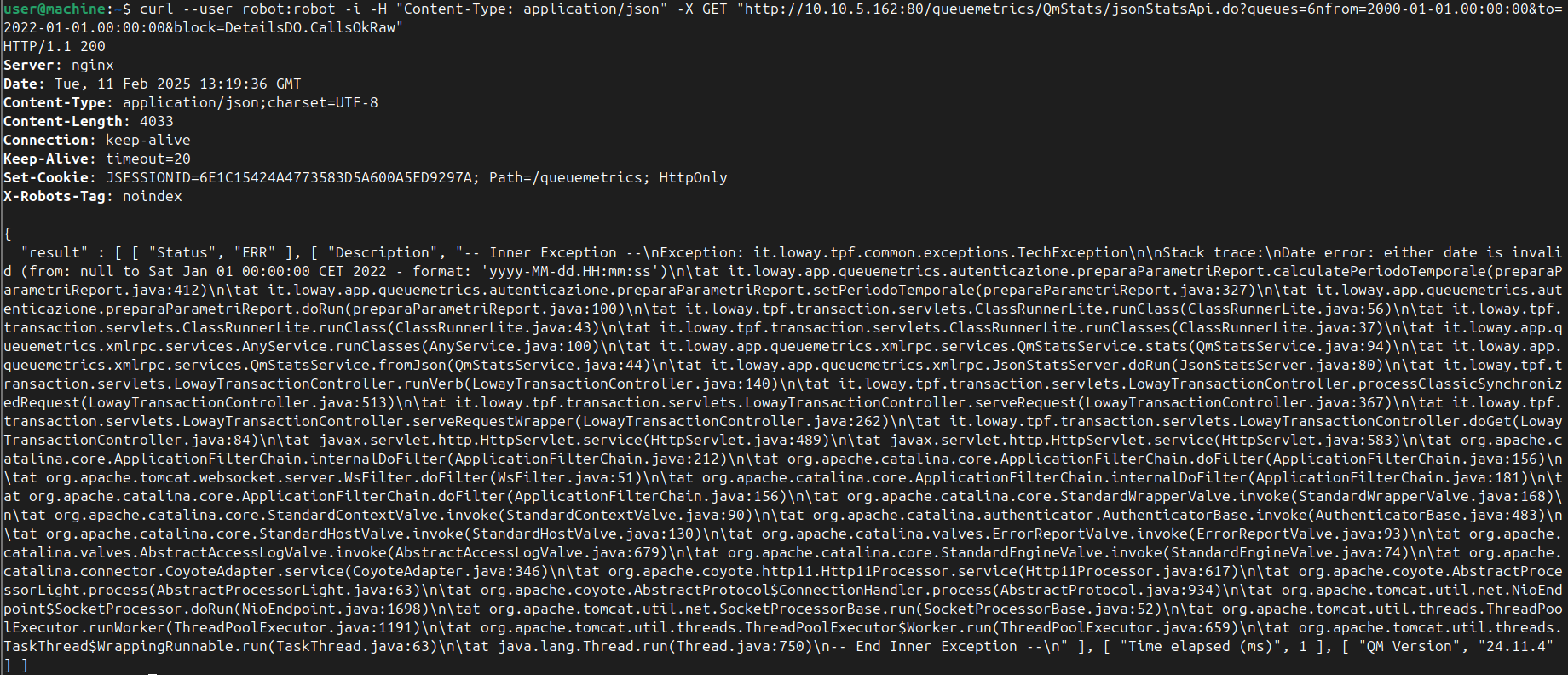
Issue: The queue name is used instead of the queue number.
Example response:
Solution
Check the parameters of the API request, to ensure they are correctly formatted.
Note that:
-
Use the queue number instead of the queue name.
-
If specifying multiple queues, use the
--data-urlencodeparameter.
Example
--data-urlencode "queues=500|501|502"
curl --user robot:robot -i \
     -H "Content-Type: application/json" \
     -X GET \
     "http://YourQueuemetrics/queuemetrics/QmStats/jsonStatsApi.do" \
     --data-urlencode "queues=500|501|502" \
     --data-urlencode "from=2000-01-01.00:00:00" \
     --data-urlencode "to=2022-01-01.00:00:00" \
     --data-urlencode "block=DetailsDO.CallsOkRaw"
No data in the response
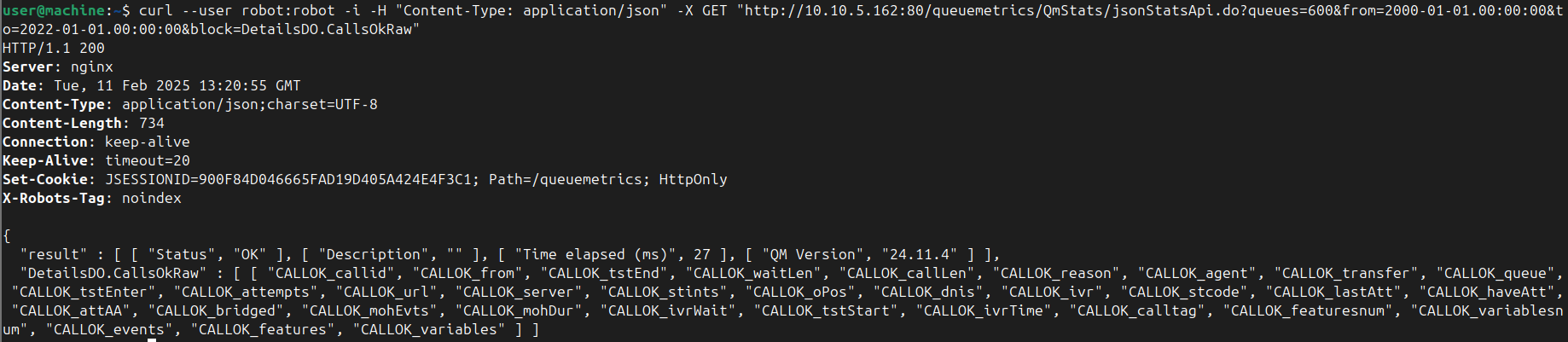
Issue: The url request is correct, but the response doesn’t show any data.
Example response:
Solution
Make sure the date from=2000-01-01... and datablock parameters block=Detail... of the request are correct.
About QueueMetrics
QueueMetrics is a highly scalable monitoring software that lets you track agent productivity, payrolls, measure targets, conversion rates, queues/ACDs, IVRs, music-on-hold, generate outbound campaign statistics and monitor realtime processes with customizable wallboards.
You can measure all activities in your contact center with more than 200 different metrics and manage realtime processes with live alarms and full control on calls and extensions, including whisper, spy and barge modes.
QueueMetrics is available on premise or as a cloud hosted service, and it is compatible with FreePBX, Grandstream, Issabel, MiRTA, Enswitch, Yeastar S PBX, VitalPBX, FusionPBX and many other Asterisk- and Freeswitch-based systems. It also supports Microsoft Teams telephony.
For more technical information please refer to the User Manual.
Visit www.queuemetrics.com for a free 15-day full-featured trial.
keyboard_arrow_left Back