Smart Call Handling with Known Numbers
The Known Numbers feature allows you to identify and manage predefined phone numbers within the system.
This enables special handling of calls from known numbers, improving interaction management.
Benefits of Using Known Numbers
- Better User Experience: VIP customers receive preferential treatment.
- Enhanced Security: Blocking unwanted numbers reduces spam.
- Operational Efficiency: Optimized call routing.
What are Known Numbers?
Known numbers are phone numbers that are known to QueueMetrics, and can have properties associated to them.
Known numbers are usually meant to be updated with the numberLookup API, in order to implement strategies based on the calling number.
This will improve the reporting experience, allowing a supervisor to identify frequent callers by their name; Or allowing the Agent to great the caller with their name.
What are Known Numbers useful for?
QueueMetrics will use Known Numbers to:
-
Decode the number when displayed in reports and real-time pages
-
Earmark specific calls as BLACKLIST or VIP, where at the dialplan level a proper function is implemented, to route these numbers to specific high priority / low priority calls
-
Store a known description for the number, that can be used to set a caller-id for the number in a format that will make the number “stand out”. It could be the name of a client, or their CRM IDs
In order to access this page, QueueMetrics Users must hold the security key USR_KNUMBERS.
More details on User keys can be found here: Visibility Keys and You
Adding a Known Number as an Admin
You can find the Known Numbers in the QueueMetrics settings:
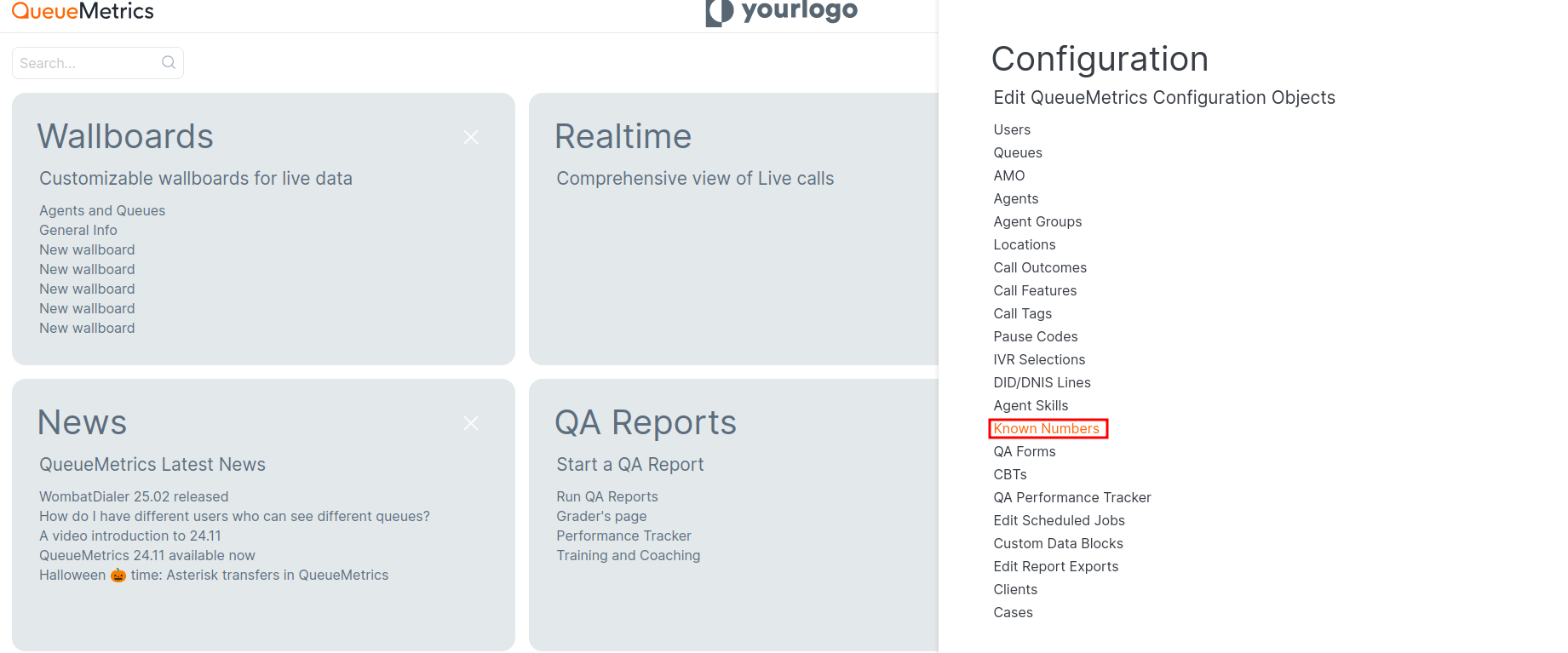
Now you can click on “Create New”:
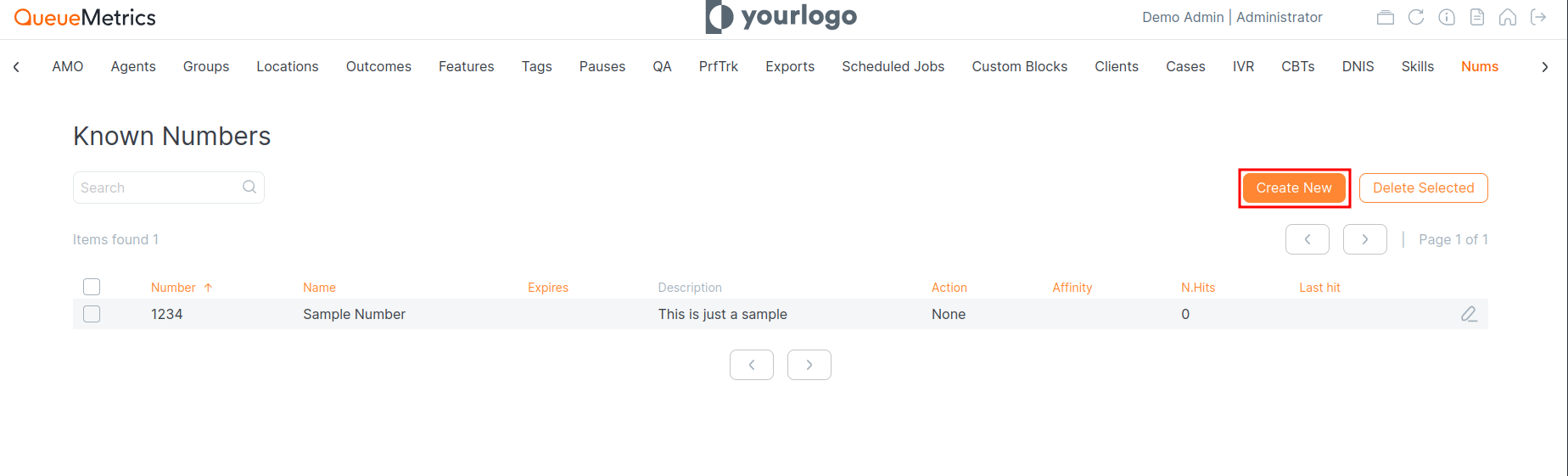
Here we can add our first number:
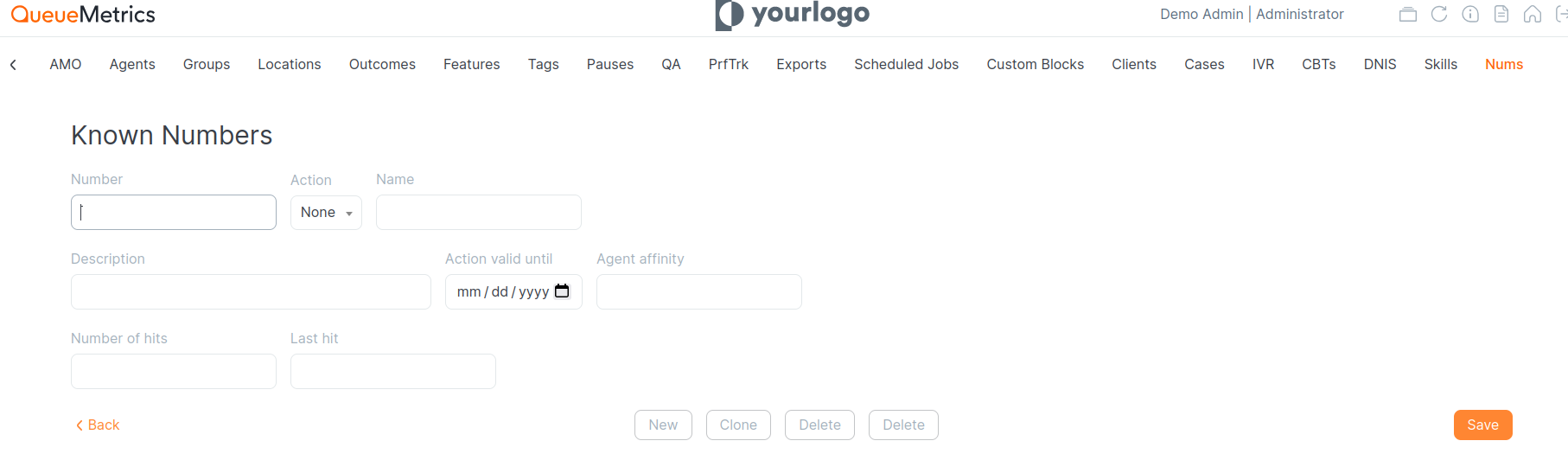
Enter the following details:
- Number: The phone number of the caller.
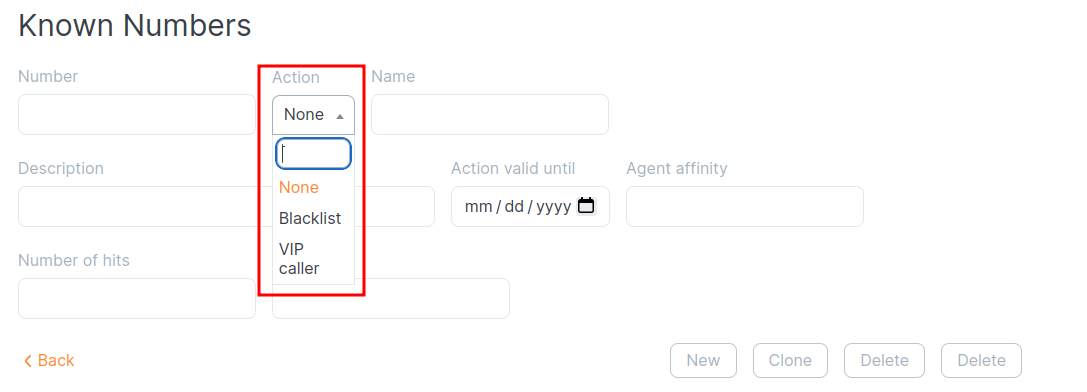
- Action: Define what QueueMetrics should do when this known number call(e.g., VIP, blacklist, nothing).
- Name: This is the label that will appear in the report, helping to identify the caller or action associated with the known number.
- Action valid until: This field allows you to set an expiration date for the action. If you want the action associated with the known number to expire after a certain date, you can enter that date here. If left empty, the action will not have an expiration and will remain valid indefinitely.
Adding a Known Number using the API
QueueMetrics provides an API for managing known numbers programmatically, allowing integration with external systems.
You will need to Create a new User, that will handle the API requests.
Create a remote user in QM with the following configuration:
Homepage → Settings → Users → Create New
    User: “pbxapi”
    password: “api123”
    Class: ROBOTS
    Custom security key: “PBXAPI”
Of course the credentials will be different for you. Remember to add the credentials in the API call.
The webservice is meant to be easy to interoperate with a standard Asterisk CURL call:
exten => s,1,Set(res=${CURL(http://MY.QUEUEMETRICS:8080/queuemetrics/numberLookup.do?number=$(CALLERID)&mode=action&user=pbxapi:api123)})
Here you can find more information regarding our APIs.
Editing and Deleting
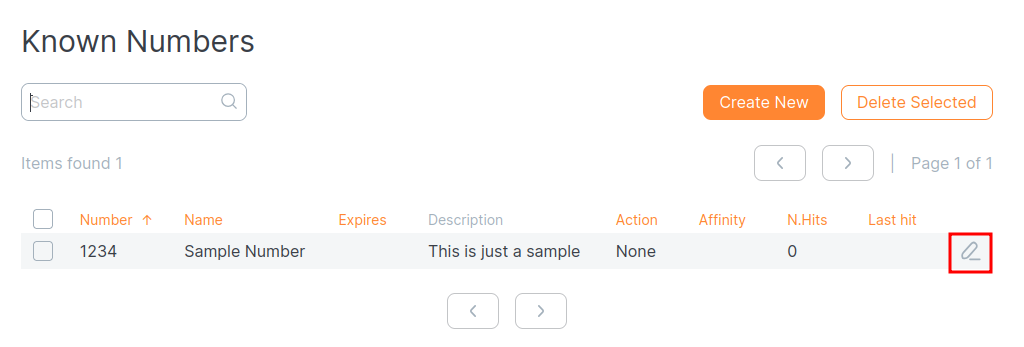
To edit a number, select it from the list and update the necessary information.
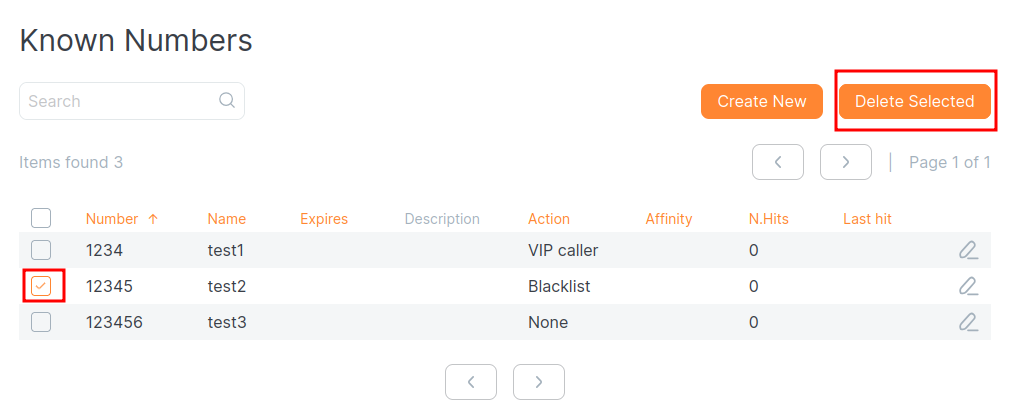
To delete a number, you have to select the desired number from the list, then click “Delete Selected”.
Possible Actions
- Prioritization: Calls can be routed with priority over others.
- Blocking: Calls from numbers on the blacklist are automatically rejected.
From the Asterisk Dialplan, you can query QueueMetrics before routing a call.
This is some example dialplan logic that you can use:
same => n,Set(CURLOPT(hashcompat)=yes)
same => n,Set(NUM=${CALLERID(number)})
same => n,Set(URL=http://my.qm/queuemetrics/numberLookup.do?mode=hash&user=pbxapi:api123))
same => n,Set(HASH(resp)=${CURL(${URL}&number=${NUM})})
same => n,Set(CALLERID(name)={HASH(res,name})
same => n,GotoIf($["${HASH(resp,action)}" = "VIP"]?supervip)
same => n,GotoIf($["${HASH(resp,action)}" = "BLACKLIST"]?blklist)
same => ....
By querying QueueMetrics like this you can obtain the following information before routing a call:
- Name of the caller
- VIP or Blacklist
- Agent affinity
And you can route accordingly, based on the above information.
About QueueMetrics
QueueMetrics is a highly scalable monitoring software that lets you track agent productivity, payrolls, measure targets, conversion rates, queues/ACDs, IVRs, music-on-hold, generate outbound campaign statistics and monitor realtime processes with customizable wallboards.
You can measure all activities in your contact center with more than 200 different metrics and manage realtime processes with live alarms and full control on calls and extensions, including whisper, spy and barge modes.
QueueMetrics is available on premise or as a cloud hosted service, and it is compatible with FreePBX, Grandstream, Issabel, MiRTA, Enswitch, Yeastar S PBX, VitalPBX, FusionPBX and many other Asterisk- and Freeswitch-based systems. It also supports Microsoft Teams telephony.
For more technical information please refer to the User Manual.
Visit www.queuemetrics.com for a free 15-day full-featured trial.
keyboard_arrow_left Back